AI has changed how quickly software flaws get found, and that has changed how often you need to patch. In April, Anthropic held back its most capable model, Mythos, from public release after it found security flaws that had slipped past decades of human review, including a 27-year-old integer overflow bug in the OpenBSD TCP stack.
In episode 14, James from Extreme Networks explains what this means for small and medium-sized businesses. The threat isn’t a new kind of attacker. It’s AI models that can now reason through complex code and chain small programming mistakes together into serious exploits.
Instead of a public release, Anthropic set up Project Glasswing. Eleven launch partners, including AWS, Microsoft, Google, CrowdStrike and Palo Alto Networks, were given restricted access to Mythos and $100 million in usage credits to audit their own code. By June they had found more than 10,000 high or critical severity vulnerabilities. Microsoft’s Patch Tuesday went from 83 patches in March 2026 to 964 in September, close to its total for all of 2025. Chrome went from 20 security patches in February to 967 in June, and has sat between roughly 390 and 435 a month since. Anthropic reckons it is six to twelve months ahead of its competitors, some of whom don’t build in the same safety guardrails. Once they catch up, attackers will be able to find and weaponise these flaws far faster than before.
James’s view is that patching can no longer be a routine monthly job. It needs to be continuous and risk-based, with actively exploited vulnerabilities fixed first. Windows 10 machines past end of support now carry around 1,500 known vulnerabilities each, and Mythos has shown that low and medium severity flaws can be chained into something much worse. He recommends a vulnerability scanner such as Nodeware and automated patch management such as Action1, rather than relying on Windows Update alone.
The episode also walks through the Australian Cyber Security Centre’s Essential Eight as the baseline for Australian businesses: patching operating systems, patching applications, application control, Microsoft Office macro settings, user application hardening, restricting administrative privileges, multi-factor authentication and regular backups. Business email compromise is still the biggest threat James sees across his customers. It usually starts with a fake OneDrive share link that captures Microsoft 365 credentials and ends with altered invoices going out to customers from a real company mailbox. That’s why MFA and cyber insurance sit alongside patching, not behind it.
Introduction: How AI Is Transforming Vulnerability Discovery and Patching (00:00)
What has happened to patching? We look at how AI has changed application and operating system patching, and what you need to do to protect your small or medium sized business. Cybersecurity for your small business shouldn’t be expensive and complicated.
Ladies and gentlemen, welcome back to the podcast. Today we’re going to be looking at what has happened with AI, in particular, how people are using it to find vulnerabilities and patch them a lot quicker than they used to.
Large Language Models and Their Aptitude for Analysing Code (00:45)
Pretty much everyone has heard about AI these days — large language models, models that can look at language, convert it into a mathematical formula, and then interpret it and come back with good answers to the questions that are being posed. Now, the interesting thing is that when we say languages, people think English, French, Spanish. But there are other kinds of languages. I’m thinking programming languages — languages like Python, JavaScript, C, SQL.
It turns out that large language models work really well on computer code, partially because there’s no such thing as accents or tone in computer code. There’s no slang. The conventions used in writing code are a lot tighter than they are in writing a letter or an email. And this means that it’s very easy to get an AI application to be able to write code or to review code — is this good code, does this code work against general coding conventions, is it secure?
As we know, the AI models have been getting better and better and better really quite quickly. We’re seeing that with the code that has been written. It used to be pretty scrappy, it used to be fairly unreliable. Now it’s getting a lot faster, a lot better, a lot more economical and a lot more secure.
Anthropic’s Mythos Model and the 27-Year-Old OpenBSD Vulnerability (02:15)
In April, Anthropic, the people behind Claude, were about to release a model called Mythos. It is their latest iteration, and it was very good at coding — in fact, too good at what it was able to do. It was able to write some code that was very effective, but it could also review code and find security vulnerabilities very effectively. Quite cunning in the way that it was able to do it.
The power of Mythos’s ability to analyse code is really highlighted when they found a 27-year-old bug in OpenBSD, an open-source, Unix-like operating system known for its focus on security. Mythos identified an integer overflow memory flaw in the TCP stack — that’s how networking gets done, through TCP — and memory has to be handled fairly carefully, otherwise you can get all sorts of interesting security problems.
The really important thing is that this code was 27 years old. OpenBSD has lots of people going over the code all of the time, and so many, many eyes had looked at this code. Many, many applications had gone through looking for vulnerabilities in that code. Mythos was able to find this because it’s not a simple static analysis tool looking for syntax errors or basic programming security vulnerabilities. It reasoned through a number of complex state behaviours and the way that the stack worked, the way that it interacted with other parts of the application. When Mythos was able to do this, Anthropic thought: we’ve got a problem.
Project Glasswing: Restricted Access for AWS, Microsoft, Google, and Partners (04:11)
Mythos is able to find a huge number of vulnerabilities in all sorts of applications, so Anthropic withheld it from general public release. Instead, they created Project Glasswing — access to the Mythos preview for a select number of companies. The launch members were Amazon Web Services, Apple, Broadcom, Cisco, CrowdStrike, Google, JPMorgan Chase, the Linux Foundation, Microsoft, NVIDIA, and Palo Alto Networks.
These companies were given access so that they could run Mythos over their codebases. Anthropic included $100 million worth of tokens so that they would be able to spend the time and effort to go through their codebases, find vulnerabilities, and then do the hard work of patching them. By June, those partners had found over 10,000 high or critical severity flaws in their codebases.
Anthropic expanded the project to over 150 partners because they understood that ensuring codebases were secure was incredibly important, and that AI would be set back massively if their product was used to find vulnerabilities and exploit them.
Zero-Day Exploits, Vulnerability Classes, and the Race Against Attackers (05:41)
A little bit about what these vulnerabilities are. The vulnerabilities are found in code for things like the operating system — so Windows 11 — and in applications. It might be Microsoft Word, it could be your browser like Google Chrome, or it could be a software as a service application, something like Xero or Salesforce.
Some of these bugs in the code do things like heap buffer overflows, out of bounds reads and writes — these are issues with the memory that the applications are using. Sometimes it’s just a subtle logic error. Sometimes there are bugs that allow for privilege escalation, so a normal user can become an administrator, for example. And sometimes Mythos has been able to find exploits where minor programming issues have been chained together to do something much bigger than any of those minor issues separately would have been capable of.
All of these exploits are zero-day exploits. A zero-day is an exploit which is discovered for which there is no patch. All of the software vendors have a huge number of vulnerabilities that they’ve found but haven’t patched yet, and that creates significant security risks for everyone.
At this point, the race begins. We know that those exploits are out there, and there are other people with other AI tools. Now, those AI tools aren’t as good — but this is where the problem comes to life. Anthropic thinks that they are six to twelve months ahead of the competition. Some of the competition don’t have guardrails in their applications, and some of them don’t really care what it’s used for. So some of those AI models are going to be able to go through the code and then write an exploit — some code that will actually use the vulnerability to crash a system, escalate privileges, or access information that it shouldn’t be able to access.
So Anthropic think they’re six to twelve months ahead, and this is where we have only a limited amount of time to write patches. The software vendors need to write those patches, and then we as business owners trying to secure our networks need to make sure that those patches are applied.
Patch Tuesday Explosion: Microsoft’s 83 Patches in March Versus 964 in September (08:12)
So exactly how much of a drama is this for us? In March of 2026, there were 83 vulnerabilities that were patched by Microsoft. Microsoft have a thing once a month called Patch Tuesday, where a whole heap of patches are released. In March it was 83, and eight of them were critical. These are ones that are pretty important — ones that you should be patching quicker than the average ones, because they have a critical impact on what could happen to your network, to your data.
That was in March. In September, 964. So 12 times as many patches have come out. It’s not just Microsoft who are playing this game. Microsoft is the one that gets a lot of the attention, but there are all of the vendors who are writing the software that you’re using every day. All of them are going through this, particularly if they were in Project Glasswing. Many of them aren’t, and that’s a problem — that’s probably going to be an issue down the track.
Google Chrome, something that most people probably use all of the time, had 20 patches in February. March was 86, April 121, May 206, June 967. That is 50 times more patches than in February. Since then they’ve had 435, 395, 392. So it looks like they fixed up a lot of the issues in Chrome, but they are still detecting them and still releasing patches, and they’re releasing those patches a lot more frequently.
You’ll see it in the top right-hand corner of your Chrome browser — it will say “relaunch to apply patches.” You should do that. You should do that frequently whenever you see that. To put Microsoft’s Patch Tuesday into context, they had almost as many patches in September as they did in the entirety of 2025.
Why Cyber Attacks Have Not Yet Spiked, and the Looming Threat Window (10:29)
Now, whilst this looks quite scary, there is one thing to remember here, and that is that we haven’t seen an increase in the number of cyber attacks on our customers, and we also haven’t seen it from other people that we work with.
Why is that? Well, I think there are a couple of reasons. Firstly, Anthropic has only given access to Project Glasswing to companies that they trust, so the bad guys don’t have access to that. As they’ve said though, in 12 months time, when everyone else’s models catch up, people are going to be able to review code. People with bad intentions are going to be able to review that code and then they’re going to be able to write exploits really quite quickly to exploit those vulnerabilities in the software.
A lot of work from the vendors has gone from finding vulnerabilities to going through and patching them. They are obviously going through prioritising what they can fix, what they need to fix urgently, and working through that backlog. It’s our assessment that we will see the weaponisation of these critical vulnerabilities and they will be used to exploit the networks of our customers over time.
Choosing a Security Framework: Essential Eight, NIST, CIS Controls, and ISO (11:41)
For the average small business owner, the first thing you want to do is look at a security framework. In Australia we use the Essential Eight, but there’s also the ISO framework, CIS Controls, NIST, and plenty of others out there. Pick one. The best one is the one that you’re using — it’s much better than the ones that you’re not.
Look at where you’re at and look at where you want to be. The big thing with this is that patching is becoming increasingly important because of the number of vulnerabilities that are getting patched. It’s not just operating system patches, it’s not just your Microsoft patches — it’s Office applications, it’s all of the applications that you use. Applications that access the Internet are quite important, because the Internet is a rough and terrible place and there are bad people out there.
Things like your browser need to be patched frequently. Any of your servers which are connected to the Internet are the things that you want to be patching really quickly.
Vulnerability Scanning with Nodeware and Automated Patch Management with Action (12:52)
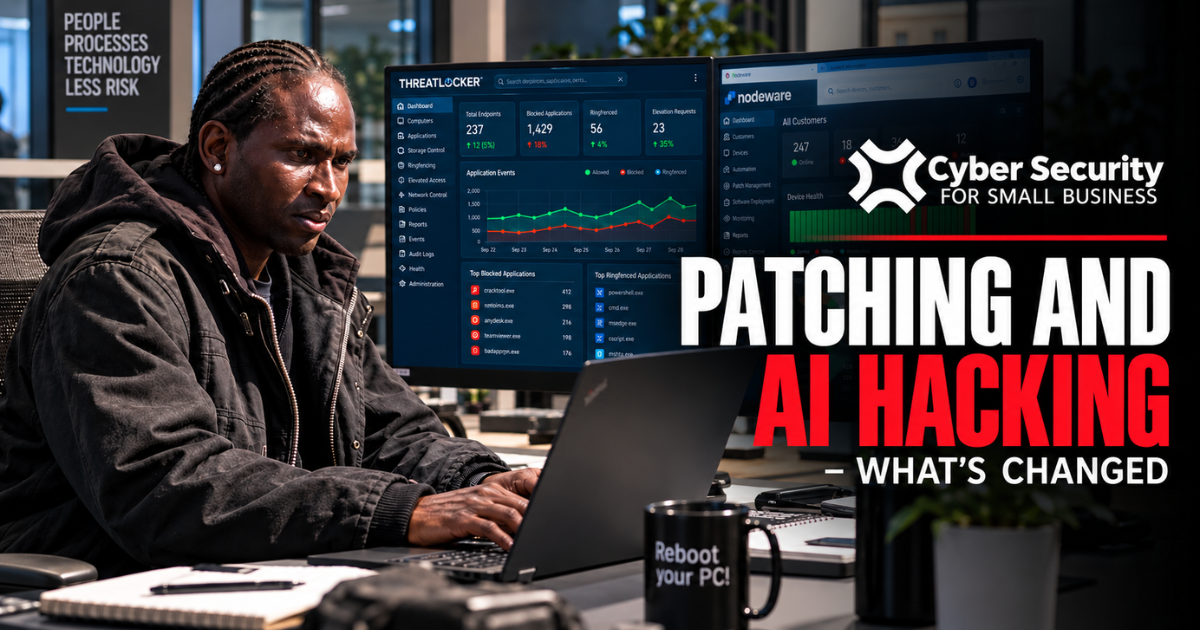
We use a couple of applications. One is Nodeware, which does a really good job of vulnerability scanning, and we can see the massive jump that occurs after Patch Tuesday — hundreds of thousands of vulnerabilities across all of the endpoints that we manage. So lots of PCs, some servers out there as well, and a huge jump in September with the number of vulnerabilities. We also use Action1, which is software that will roll out patches automatically.
How great is that? Well, it’s better than not doing it at all, and it’s better than relying on Windows Update. Windows Update can get stuck — there are issues with it. I think actually having a vulnerability scanner like Nodeware is really important because you get to understand what the risk is, and then having something that will actually be proactive about the patch management, like Action1, is also important.
One of the issues that we’re seeing now is that we’ve still got a small number of computers running Windows 10, and a small number of servers running Windows Server 2016. Both of these are out of support. Windows 10, you can get extended support, and that’s something that we’ve been recommending to some of our customers. I think that’s really going to become mandatory now, because even computers that have been patched right up until the end of support for Microsoft — Windows 10 support ended a while ago — means that Microsoft no longer releases security patches.
So the average Windows 10 machine probably has about 1,500 vulnerabilities out there now. Many of them are low severity or medium, which means that it’s going to be hard for an attacker to be able to do something with that. We have seen that Mythos is really good at taking lots of low or medium vulnerabilities and chaining them together and doing something much more powerful with that. But there are a lot of critical vulnerabilities — vulnerabilities that are being actively exploited — and those are really starting to mount up in the Windows 10 fleet. So think about extended support, or upgrading as well. We know that not everyone can upgrade, and there are a couple of other things to think about.
Essential Eight Controls: Application Whitelisting, MFA, and Defending Against Business Email Compromise (15:03)
We talk about the Australian Cyber Security Centre’s Essential Eight. It does a great job of listing some things that you can do to help keep your network secure. One of them, of course, is operating system patching. There’s application patching, but there’s all of the other things that you want to be thinking about.
Application whitelisting is where you won’t allow people to be able to install applications randomly on their computer. Sometimes it’s people just wanting to install some game that they found or some BitTorrent client that’s bad and they shouldn’t be doing that. Sometimes it will be a hacker who’s trying to install something so that they can gain control of the PC, gain control of the network. Application whitelisting is very effective at stopping that.
Configure your Office macro settings. Macros are really powerful — you can do some really cool things, but you can also do some terrible things on someone else’s machine, so macros in general are a bad thing. Application hardening involves doing things like disabling risky browsers and disabling legacy extensions like Flash. These make it harder for a cybercriminal, once they’ve accessed your machine, to get more access either to the network or to the applications that are running on your machine.
No one should be operating their machine as an administrator — you should just be a normal user. Normal users don’t have a lot of privileges on a machine, and that’s by design. It makes it harder to do things like install applications. This is important because if your computer gets attacked and an attacker gets control of it, then they are operating with your credentials. So if you’re a domain administrator, the attacker is now a domain administrator, and the things that they can do are much, much worse than if they were just an ordinary user on the network.
There should be multifactor authentication turned on everywhere where it’s possible. If you’ve got applications that don’t support multifactor authentication, you should be pushing back to the software vendor and saying, hey, this is not fit for purpose. Multifactor authentication is really important because we see the biggest risk for all of our customers — and this holds for this year as well as last year — being business email compromise.
People get a link that says it’s going to share something from OneDrive with them, they put their details in, and those credentials are being captured. The hackers are then using them to impersonate you with all of the privileges that you have, often through Microsoft 365. That means they can go in, read your emails, read the emails which have got invoices that you’ve sent to customers, get the PDF of your invoice, change the bank account details on it, and then send it to the customer. The customer is not going to know any different because the email has come from your email system, it has come with your signature block — it is effectively your email. That’s why we find business email compromise to be such an insidious form of attack.
Backups, Cyber Insurance, Network Documentation, and Decommissioning Unused Devices (18:26)
Another thing you want to be thinking about is regular backups. Make sure that you back up the data that you need, make sure that you test your backups, and make sure that you’ve got them stored in a way that they’re not going to be able to be destroyed if an attacker gets access to your network. That’s the Essential Eight — it’s a framework that we use with many of our customers, and we think it works really well.
There are a few other things that you want to think about, things like your cyber insurance. You’ll want to make sure that you are turning on automatic updates and testing it with a vulnerability scanner everywhere that you can. You should have good documentation of your network. That’s an important component of the defence process, and as you go through that documentation process — or if you’re reviewing your current documentation — you can identify what things you don’t need anymore on your network.
If you listened to our last episode, the attacker got in through a POS system that was no longer in use. If you’ve got gear on your network that isn’t being used, turn it off. It’s much more difficult to exploit, and it doesn’t matter how badly patched it is — if it’s not on, it’s a lot safer than if it is on. So turn it off, maybe even disconnect it, maybe even throw it in the bin after you’ve wiped it of all of the information that is on it. That can work really well in increasing the cybersecurity posture of your network.
Have a think about everything that’s got access to the Internet — remote access, old websites, test systems. Test systems can be a bit of a nightmare, and you should be really careful with those. These are the things that the attackers are likely to see first, the things they’re going to concentrate on, and the things that they will be focused on exploiting any of the known vulnerabilities that they’ve got. So over time, it’s going to become increasingly dangerous and difficult to secure your machines that have got access to the Internet, particularly if they’re not being patched.
AI-Assisted Development with Claude Code and Building Security Controls Into Applications (20:24)
Now, up until now, we’ve been talking about software vendors, people like Microsoft, people like Google, and we’ve been talking about the problems that they’ve got. Have you been writing code in AI? That’s an interesting question, because I would argue that you probably should be.
There are huge productivity gains. We’ve seen this in our company. We’ve been able to do some really powerful things — things to increase the productivity of our company, to be able to make sure that our people are making decisions with much better information than they were ever able to get, by writing applications that pull data from lots of different places and then display it or automate things. There’s lots of really cool things that you can do.
I think one of the really cool things about AI is it really does abstract away the application layer of writing an application. I work probably two or three times a week with Claude Code, and I’ll be writing an application or a little script or something that I want to be able to do faster. So if you are writing code, if you’ve got applications that are running, then welcome to the party. This vulnerability issue is now something that you need to be thinking about.
The good thing is, we’ve all got AI to be able to help us. One of the things that we do here is we have an AI software development lifecycle. Each application is built against that, and that means that there’s a bit more rigor that’s put into some of the components of application development. One of those particular ones that we like to pay a lot of attention to is the development of the security controls around the applications that we’re building.
It’s a fine line. It’s a balancing act. When we look at some of the things that customers are doing, some of the things that we’re doing for customers, and some of the things that we’re doing for ourselves, there are huge productivity gains. And the biggest risk for most companies, I don’t think, is AI. It is their competitors using AI and getting a strong sustainable competitive advantage with which they cannot compete.
Summary: Aggressive Patching Strategy, Risk-Based Prioritisation, and Final Recommendations (22:34)
AI hasn’t created anything new here. What it’s done is really speed up the ability of people to review code and find vulnerabilities. It’s created a huge workload for developers as they need to build the patches to keep all of these applications running securely.
For each of us trying to manage the networks we’ve got, the really big thing is to make sure that there is an aggressive patching management strategy in place. In the old days it was a lot easier — the volume was a lot lower and there was time to go hunting those little ones that were a little bit difficult to apply, or the machine that wasn’t getting updates. It was a lot easier to manage because it didn’t happen that frequently. Now, not being able to patch really does hurt the security of a network, even if it’s just one machine, even if it’s just one application.
We’ve been taking a risk-based approach to patching. We’re looking for all of the exploited vulnerabilities and making sure that they’re getting patched first, because literally there are hundreds of thousands of patches out there that are needed. Have a really good think about having a vulnerability scanner. We love Nodeware — it’s very cost effective, it’s very easy to use, and it gives you a very quick look at just what the risk is that you’re carrying in your network.
We’ve got some customers with decent-sized networks and no vulnerability scanner, and for them there’s a blissful ignorance, which is all well and good because you can sleep quite soundly being ignorant — right up until one of those vulnerabilities gets exploited. I think it was one of those nice-to-haves for many small businesses. With the number of vulnerabilities that are out there over the next 12 months, it’s probably going to be a little bit of a rougher year than the last 12 months, given the dramatic explosion in the number of vulnerabilities out there.
Patch frequently, patch well, and make sure that you’ve got all of the other components around patching — things like the Essential Eight, things like your cyber insurance. Make sure you’ve got incident response playbooks as well; they’re good to have. Make sure you’ve got all of those components ready to go.
As always, if you’ve got any questions, reach out to us and give us a call. We’re really passionate about ensuring that SME networks are as secure and resilient as they possibly can be. You stay safe online.
How does your business measure up against the Essential Eight?
Not sure where your business stands? Our free Essential Eight Auditor takes you through the eight ACSC controls and shows you where your business may be at risk, so you know what to fix first.
Start your free assessment: https://cybersecurity4smallbusiness.com/free-essential-8-assessment/